Campaigns
Track link clicks from your WhatsApp messages
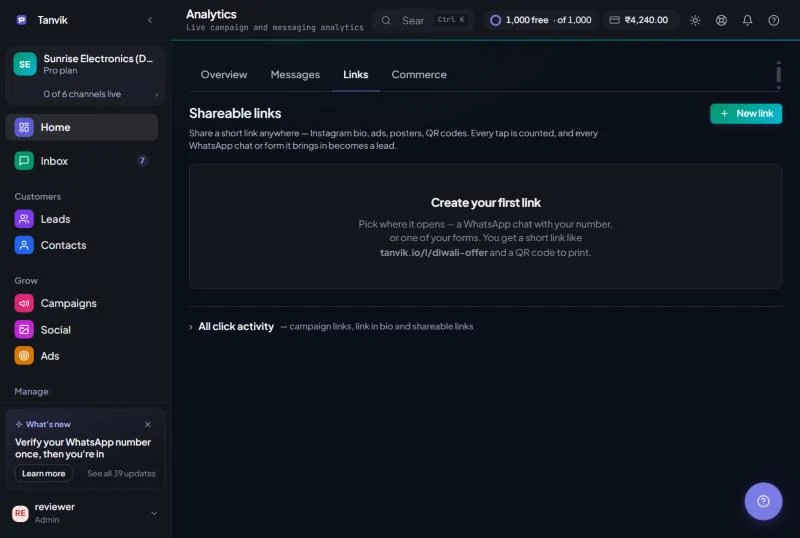
Link tracking tells you who tapped the links in your campaigns, which links get the most clicks, and when. Use it to measure a campaign beyond "read", and to send a follow-up to the people who showed real interest. It lives in Analytics → Links.
How tracking works
When you send a campaign, Tanvik swaps each trackable link for a tracking link. When a customer taps it, Tanvik records the click — who, which link and when — and sends them straight on to your original page. The customer lands on the same page as before.
Links typed into the template text can't be tracked. An approved template is fixed text that WhatsApp won't let anyone change at send time. Only links you put in a template variable — such as {{1}} — can be swapped for a tracking link.
Before you begin
Link tracking is included on Growth, Pro and Custom plans. From Home, open Analytics & Reports, then click the Links tab. Campaign clicks are in the All click activity section at the bottom of that tab: click it to open it. Above it you will see Shareable links, which is a different thing: see Short links and QR codes that bring in leads.
Make your links trackable
01
Put the link in a variable
When you create the template, write the link as a variable instead of typed text, for example Shop the sale: {{1}}. Alternatively, use a dynamic URL button with a {{1}} suffix. See Create a WhatsApp template.
02
Send it with the full link as the value
In New campaign, choose Upload CSV as the audience and map a column containing the full web address (starting with https://) to that variable. In Quick send, type the full address into the variable box. Tanvik rewrites any variable value that is a web address automatically.
03
Test it
Send the campaign to your own number, tap the link, then open Analytics → Links → All click activity and click Refresh. Your click should appear under Recent clicks.
Reading your click stats
Open All click activity and choose 7d, 30d or 90d at the top. The cards show:
| Card | Meaning |
|---|---|
| Today | Clicks since midnight IST. |
| This week | Clicks in the last 7 days. |
| Period total | All clicks in the period you picked. |
| Unique contacts | How many different phone numbers clicked. |
| CTR | Clicks as a percentage of messages you sent that carried a tracked link in the period. Shows a dash until you have sent tracked messages. |
Below the cards:
- Clicks per day — a bar chart for the period. Hover a bar to see the date and count.
- Top links — your 10 most-clicked links, with click count and share of all clicks.
- Recent clicks — when, which phone number and which link. Type in Search phone or URL to filter. Up to 200 rows are shown; export the rest.
Click Export CSV to download the clicks you're looking at (it respects your search) with the click time, phone number and link.
Follow up with people who clicked
A click is a strong buying signal. Two ways to follow up:
Everyone who clicked
When anyone has clicked in the selected period, a banner shows how many unique contacts clicked. Click Retarget these contacts — Tanvik opens Quick send with all of them loaded as Clicked links. Pick a template and send.
One person
Click the → button at the end of any row in Recent clicks to open Quick send with just that number.
Common questions
I sent a campaign with a link but see no clicks
Almost always, the link was typed into the approved template itself, so it couldn't be tracked. Move the link into a variable and send again. Also check the value is a full address starting with http:// or https://.
Does tracking change where the customer lands?
No. The click is recorded and the customer is sent on to the original link you entered.
Does a failed tracking step stop my campaign?
No. If a link can't be converted for any reason, the campaign still goes out with the original, untracked link.
How is this different from "Read" in campaign stats?
Read means the message was opened. A click means the customer tapped your link — a much stronger sign of interest.
Was this article helpful?